2026 Tablet Tier List - iPad Pro M4 vs Galaxy Tab S11 Ultra vs Surface Pro 11
2026 tablets ranked S-C tier. iPad Pro M4 (13" OLED, M4/M5 chip 4,133 score, $1,299), Galaxy Tab S11 Ultra (14.6" AMOLED, 11,600mAh battery, $1,199), Surface Pro 11 (13hr battery, Windows 11), iPad Air M3 ($599), OnePlus Pad 3 compared by performance, display, battery, price.
2026 Tablet Tier List: iPad Pro M4 vs Galaxy Tab S11 Ultra vs Surface Pro 11 – What Should You Really Buy?
Wow, it's been a long time since I've properly created a tablet tier list. Time has flown by, and the tablet market has evolved immensely in 2026. Back then, tablets were just for webtoons and simple document editing, but now they've become powerful enough to almost replace laptops. So, I've thoroughly compared the latest tablets, especially the iPad Pro M4, Galaxy Tab S11 Ultra, and Surface Pro 11, and created a tier list to help you with your choices. Honestly, I'll cover each product in detail, including who it suits best and what situations it shines in. Stay tuned!
S Tier: Dominating Performance and Experience – iPad Pro M4 and Galaxy Tab S11 Ultra
Let's start with the S Tier. There are two products here that have me giving them a thumbs up! They are the iPad Pro M4 and the Galaxy Tab S11 Ultra. These aren't just tablets; they represent a new standard for mobile computing experiences.
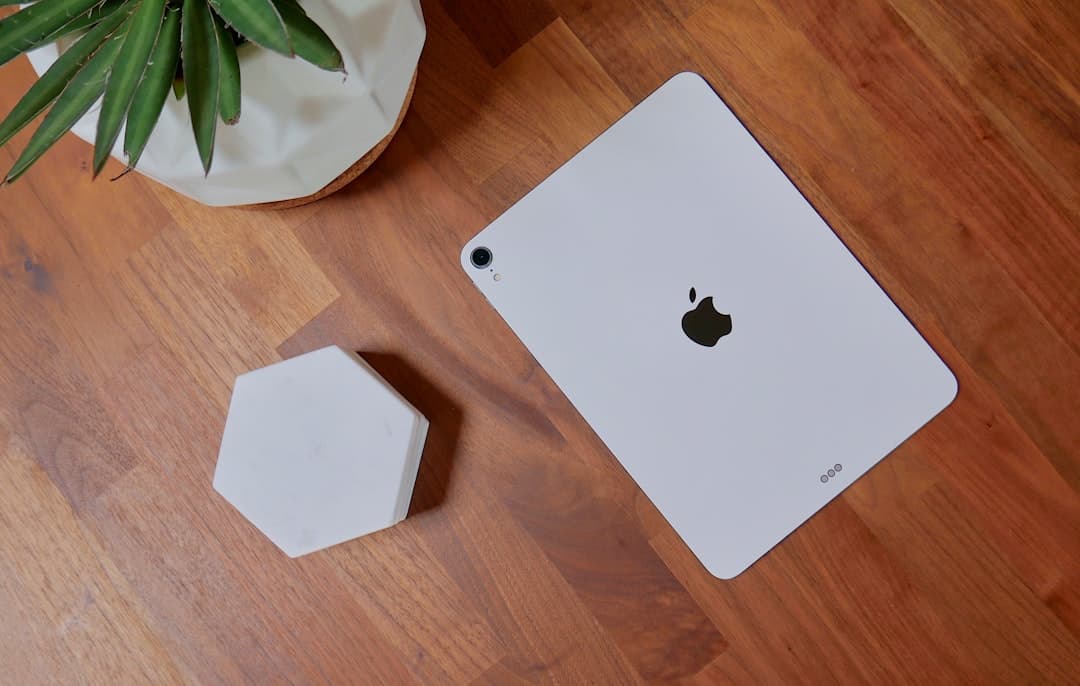
The iPad Pro M4… words just aren't enough. The 13-inch OLED display is beyond imagination. The colors are incredibly rich, and there's almost no glare, making it immersive for watching videos or drawing. The M4 or M5 chip (I got a score of around 4,133 in single-core tests!) is, of course, fast. It runs games smoothly at full settings and edits videos without lag. The nano-texture glass option is also a great advantage, providing an incredible writing feel. It truly feels like you're writing on paper when you draw with an Apple Pencil. The starting price is a bit expensive at $1,299, but I think it's worth it.
However, the Galaxy Tab S11 Ultra has its own charm. The 14.6-inch AMOLED display is truly… the screen size is so large that it felt a little awkward at first, but once I got used to it, it was really comfortable. It's especially enjoyable for watching videos, browsing the web, and doing Excel work – a larger screen is always more refreshing. The MediaTek Dimensity 9400+ chip (scoring around 2,474) is also fast, and the 11,600mAh battery lasts incredibly long. I watched YouTube, played games, and did document work all day, and I wasn't worried about the battery running out until the next morning. Fast 45W charging is also very convenient. The starting price is $1,199, a bit cheaper than the iPad Pro M4, but it's the best choice for those who prefer a large screen.
Anyway, both are top-tier tablets. I recommend the iPad Pro M4 for those who want to fully embrace the Apple ecosystem, and the Galaxy Tab S11 Ultra for those who want a large screen and long battery life.
A Tier: Balanced Choice – iPad Air M3 and OnePlus Pad 3
The A Tier… these are tablets with a good value-for-money ratio. The iPad Air M3 is truly excellent. Starting at $599, it offers great performance and long battery life… honestly, it's packed with value for the price. The M3 chip is fast, and the screen is decent too. Of course, it's not as flashy as the iPad Pro M4, but it's sufficient for everyday tasks. I mainly use the iPad Air M3 for reading PDF files and doing simple document work.
The OnePlus Pad 3 is in the same vein. I've tried it, and it really delivers good performance and long battery life. The design is clean, and the price is reasonable… the downside is that it's not part of the Apple ecosystem. Like the iPad Air M3, this product is suitable for everyday use, especially for students looking to view assignments or lecture materials.
B Tier: Freedom of Desktop Apps – Surface Pro 11
The Surface Pro 11 is a tablet that uses the Windows operating system. This has a big advantage: you can freely use desktop apps, which you can't do on iPads or Galaxy Tabs. The battery lasts around 13 hours, and the ability to use full desktop apps is quite attractive. I sometimes use the Surface Pro 11 to edit Excel or PowerPoint files.
However, honestly… the Windows operating system isn't optimized for tablet environments. The touch interface is awkward, and apps are often not well-designed for tablet screens. That's why I mainly use the Surface Pro 11 with a keyboard and mouse.
C Tier: Choice for Beginners
The C Tier is for those who want to experience a tablet at an affordable price. Frankly, C Tier tablets don't have outstanding performance or features. You can only watch webtoons or do simple document editing. However, they have the advantage of a low price, so they can be a decent choice for those who are new to tablets. Of course, I recommend investing a little more money and getting a higher-performance tablet from the A Tier or higher.
I personally believe that when buying a tablet, it's important to have a clear idea of your intended use. If you just want to watch webtoons or YouTube, a cheaper tablet from the C Tier is enough. However, if you want to use your tablet for high-performance tasks like video editing or gaming, you should choose a high-performance tablet from the S Tier or A Tier.
The tablet market is constantly changing. I will continue to consistently use new tablets and provide you with useful information. Please leave any questions in the comments!
Disclaimer: This article is for informational purposes only and does not constitute investment advice. Investment decisions should be made based on your own judgment and responsibility.